
AgoraQuiz v2: a new teacher space
The AgoraQuiz teacher space moves to version 2. The principle stays the same: your students suggest the questions, you approve them, then the whole class revises by playing. What changes is the number of clicks it takes you to get there.
We rebuilt the interface around one simple idea: you should not have to pick a group before you can do anything.
Article updated on 13 October 2026.
- Before, everything started with picking a group
- Now, you pick the groups when you create
- Goals
- Evaluations
- Group battles
- An overview of all your classes
- Student preview
- Game settings
- And also
Before, everything started with picking a group
In the first version, the interface was organised around a selected group, at the top left of the screen. The themes in play, the activities, the statistics and the members on display were those of that group, and only that one.
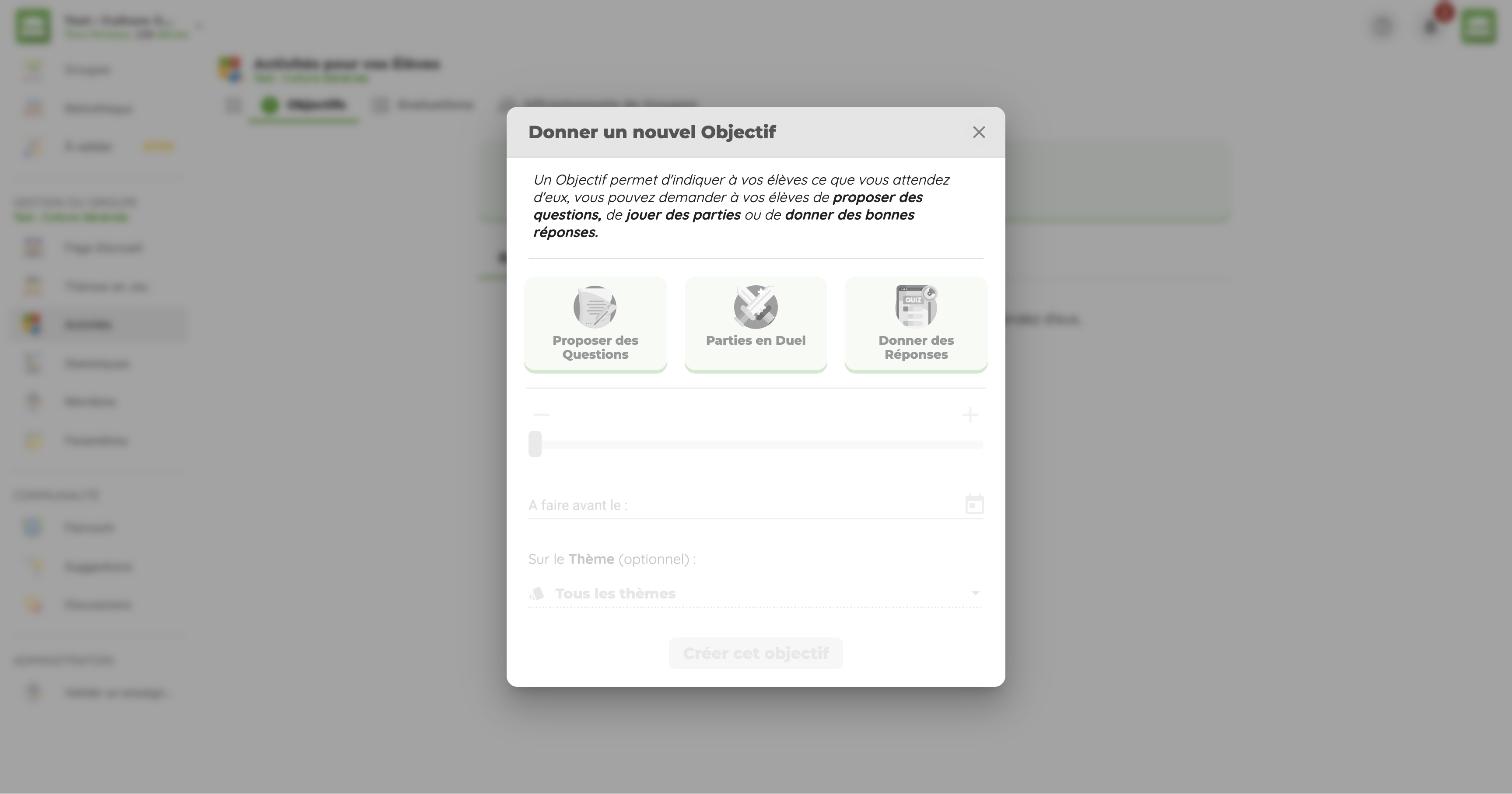
To give the same goal to three classes, you had to select the first one, create the goal, select the second one, create it again, then do it a third time. And to see how another class was doing, you had to switch group once more.
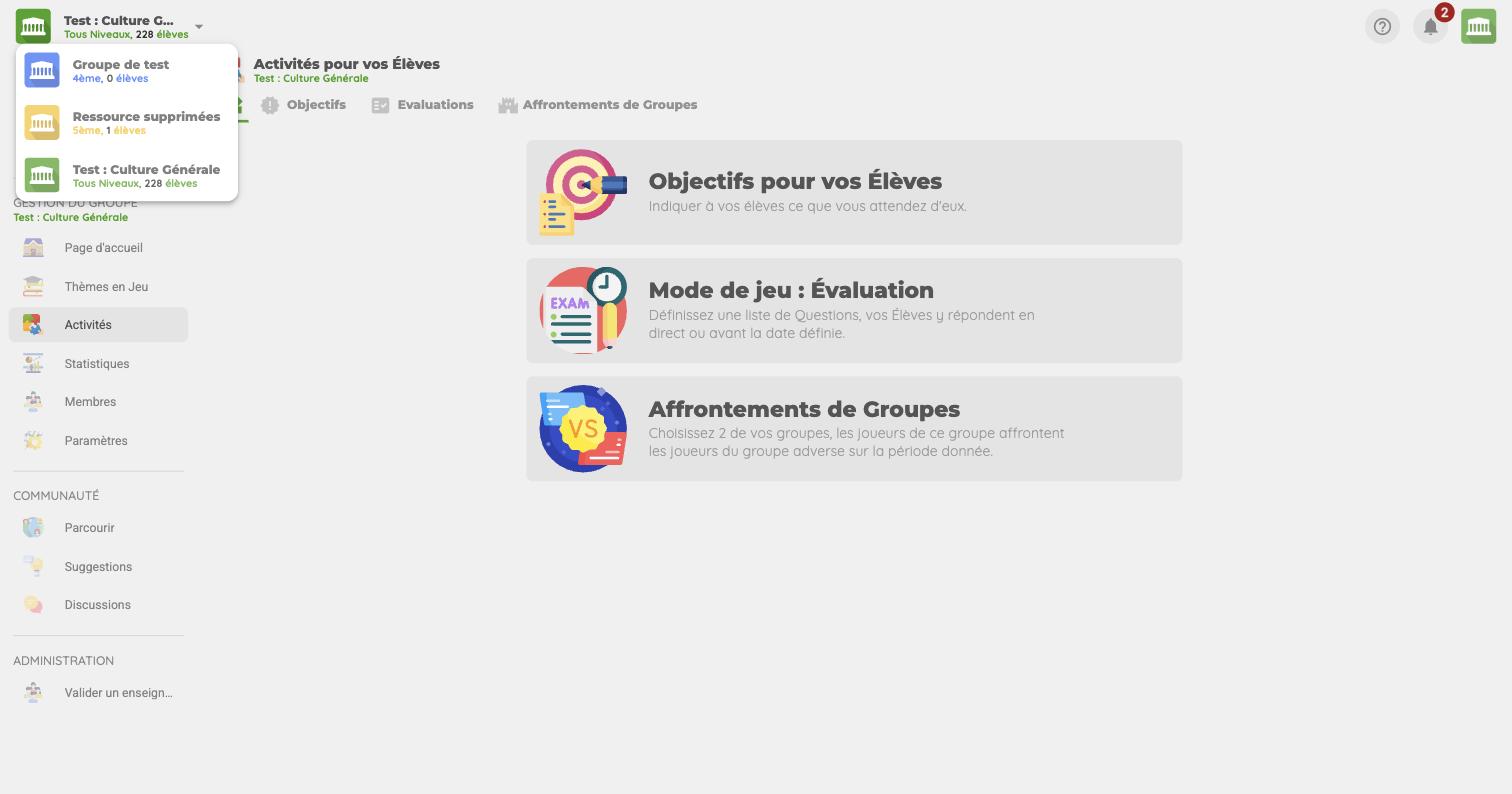
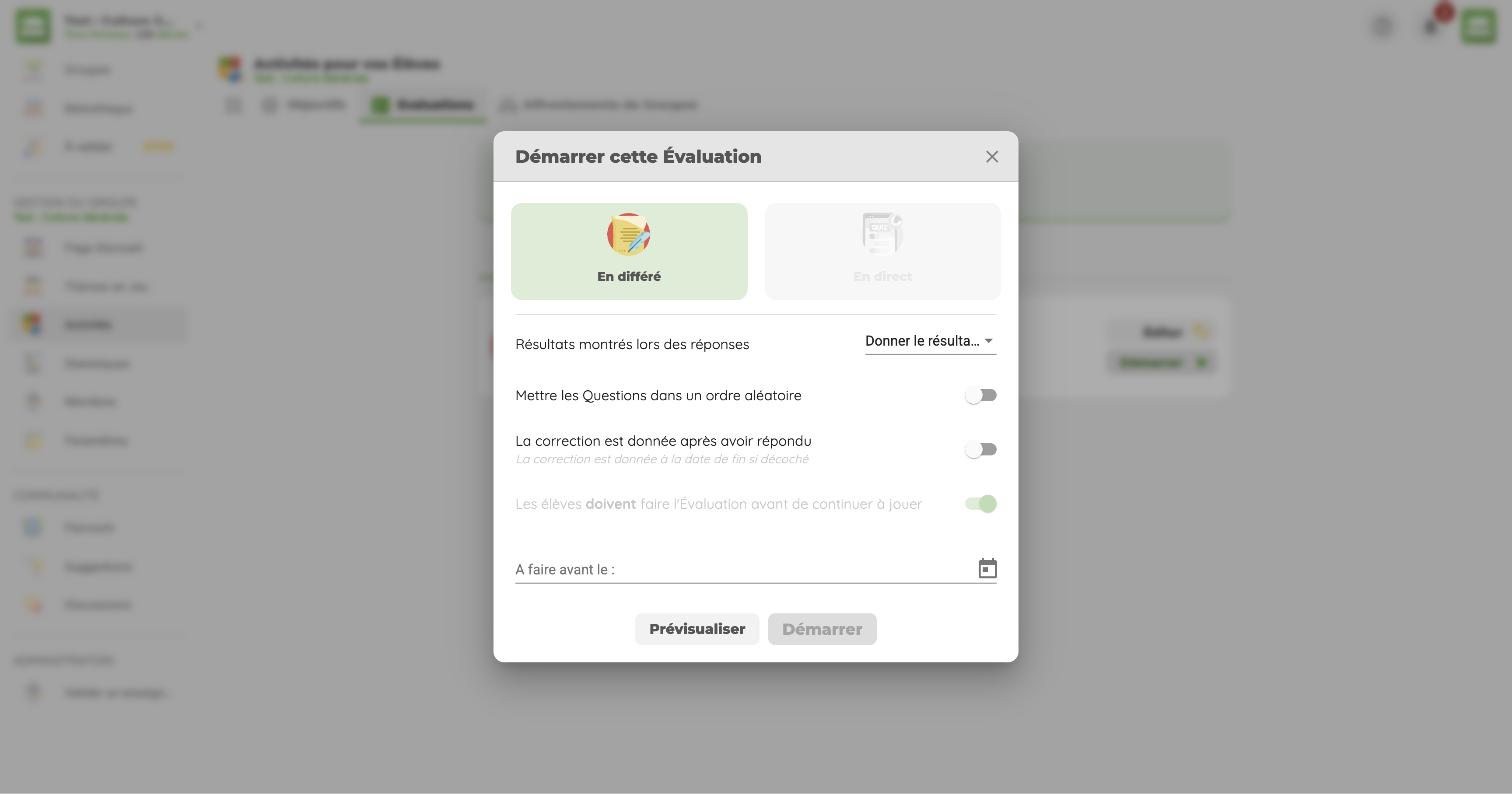
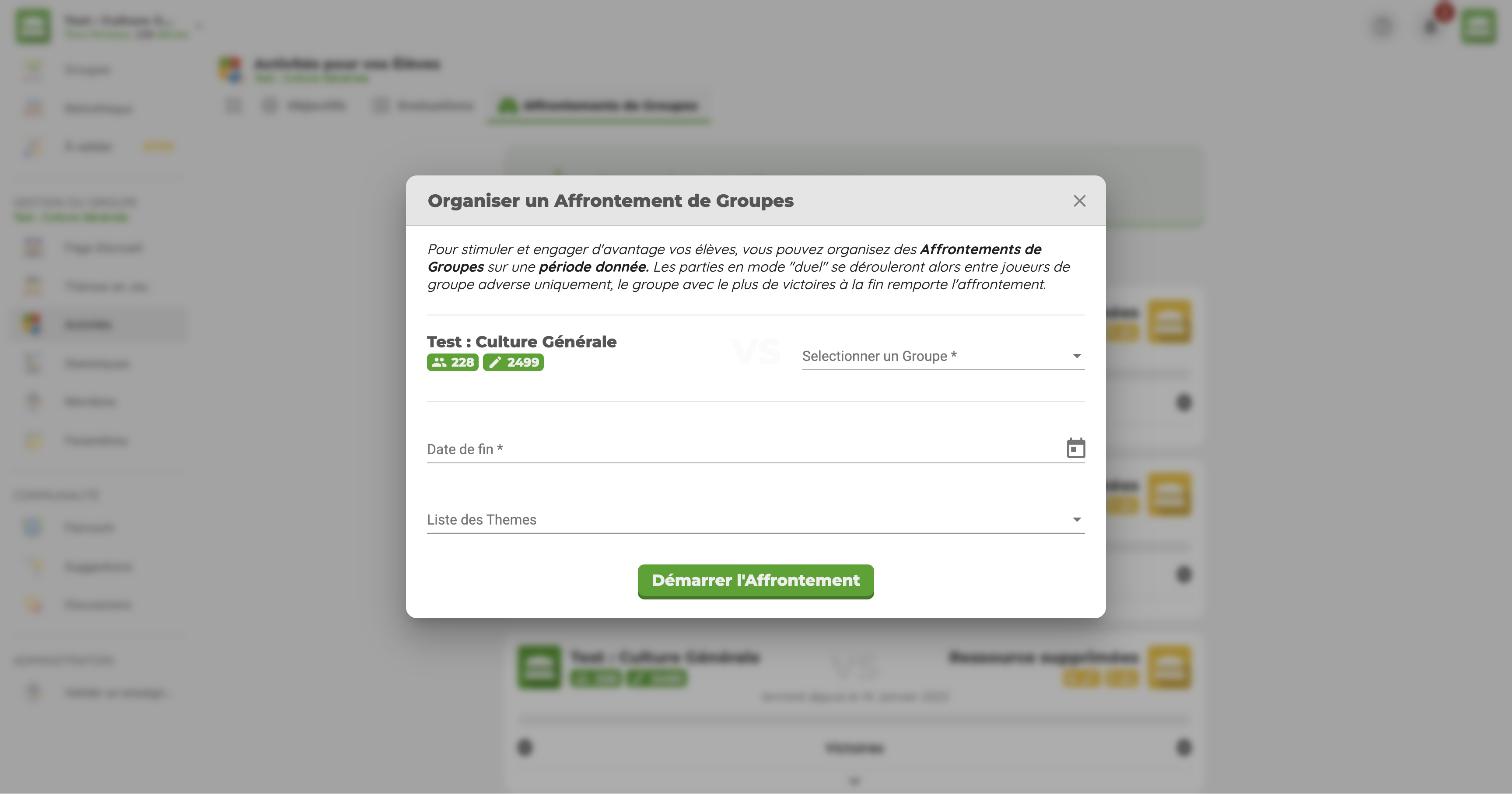
The screenshots of the previous version are shown in French.
Now, you pick the groups when you create
The group selector is gone. The menu takes you straight to each page: To validate, Groups, Themes, Questions, Statistics, Settings, Goals, Ratings and Clashes.
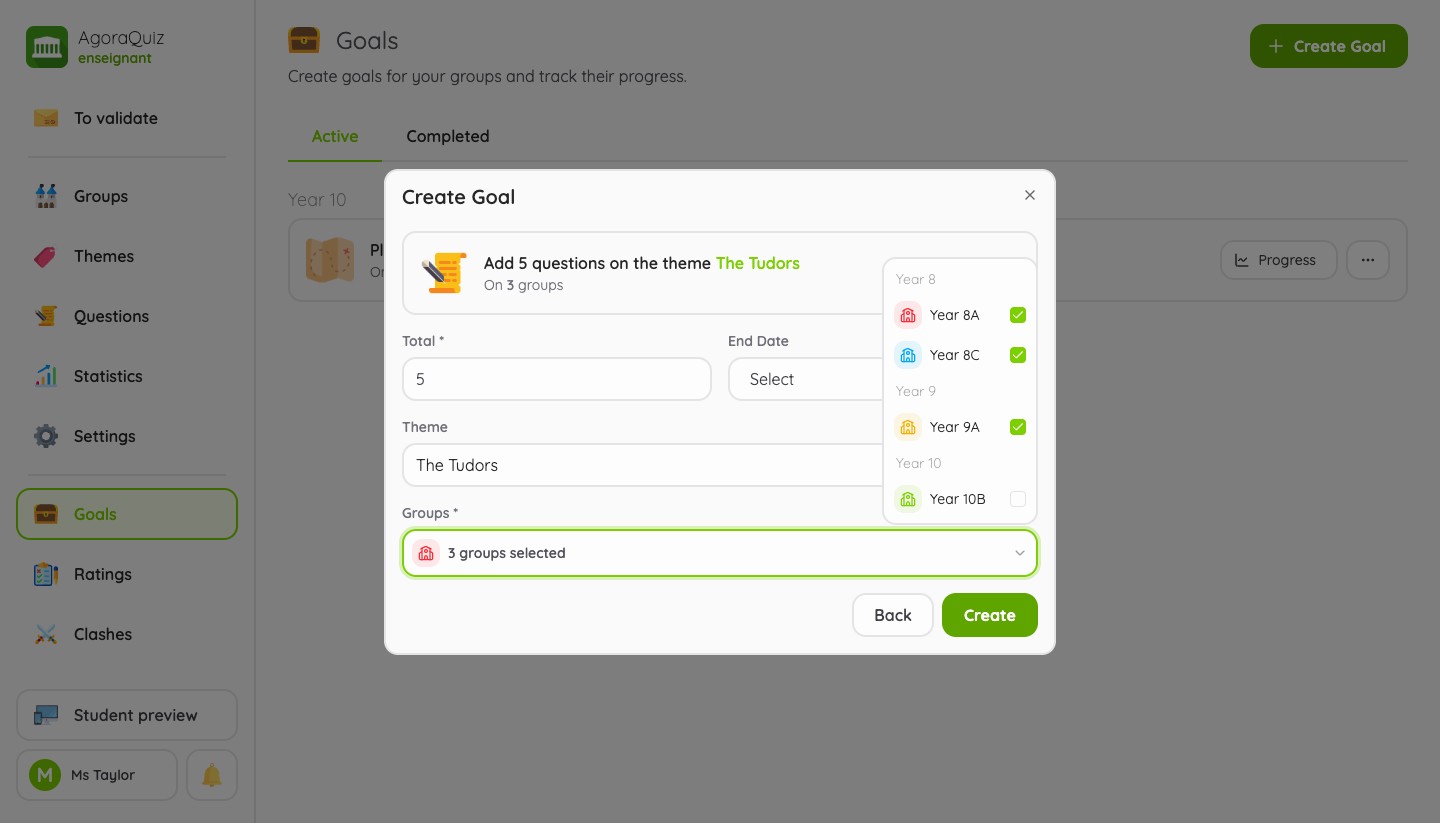
Every creation form now has a Groups field, where you tick all the classes concerned. Your groups are listed there by level. You create the activity once, however many classes it is for.
Goals
A goal tells your students what you expect from them: adding questions, giving correct answers or playing games.
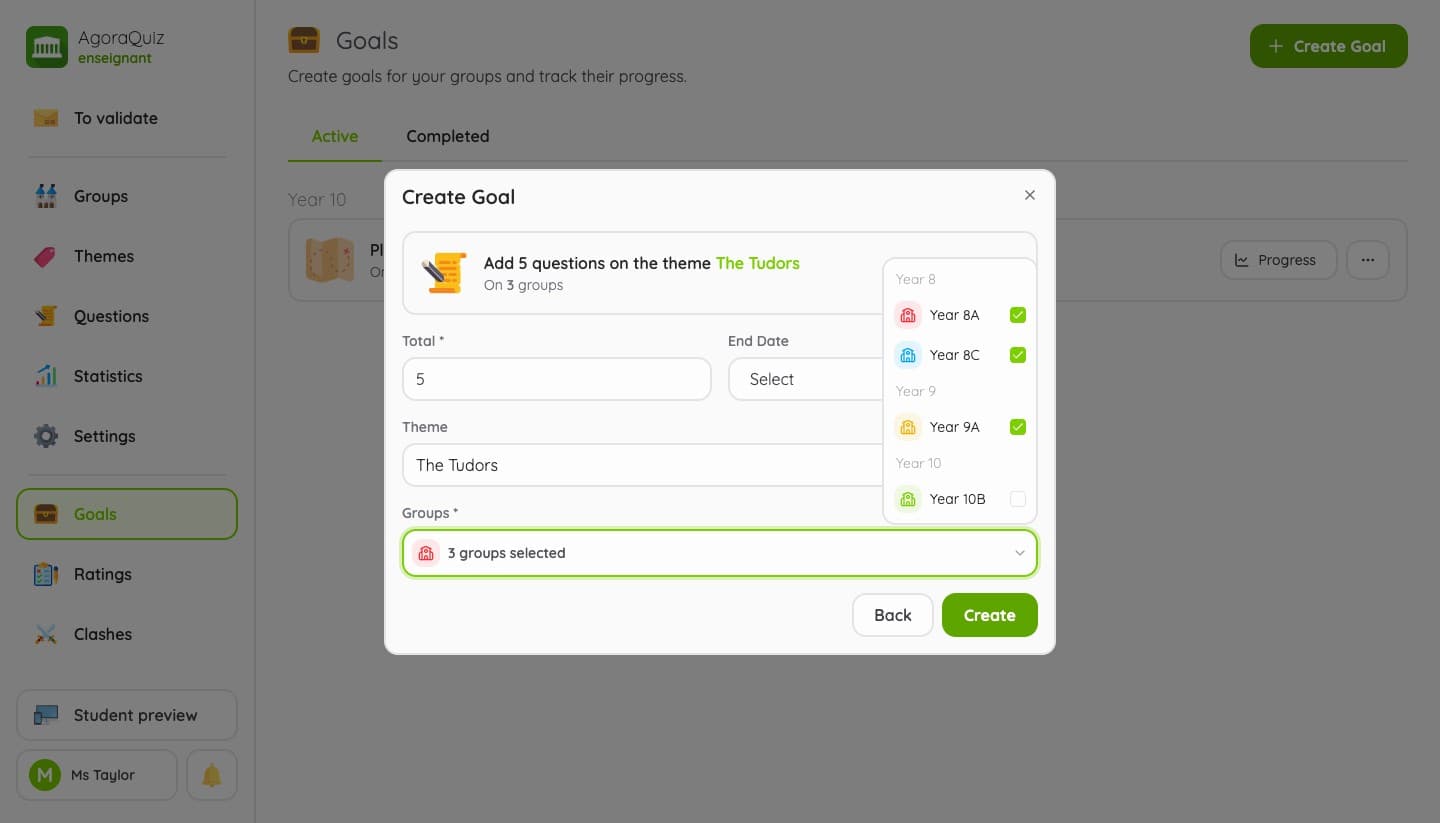
In the previous version, the goal applied to the selected group. In the new one, you choose the type of goal, the total to reach, optionally a theme and an end date, then the groups that receive it. A preview at the top of the form shows the goal as it will be created.
Two types of goals are added along the way: play in adventure mode and play in solo mode, on top of questions, answers and duels.
Evaluations
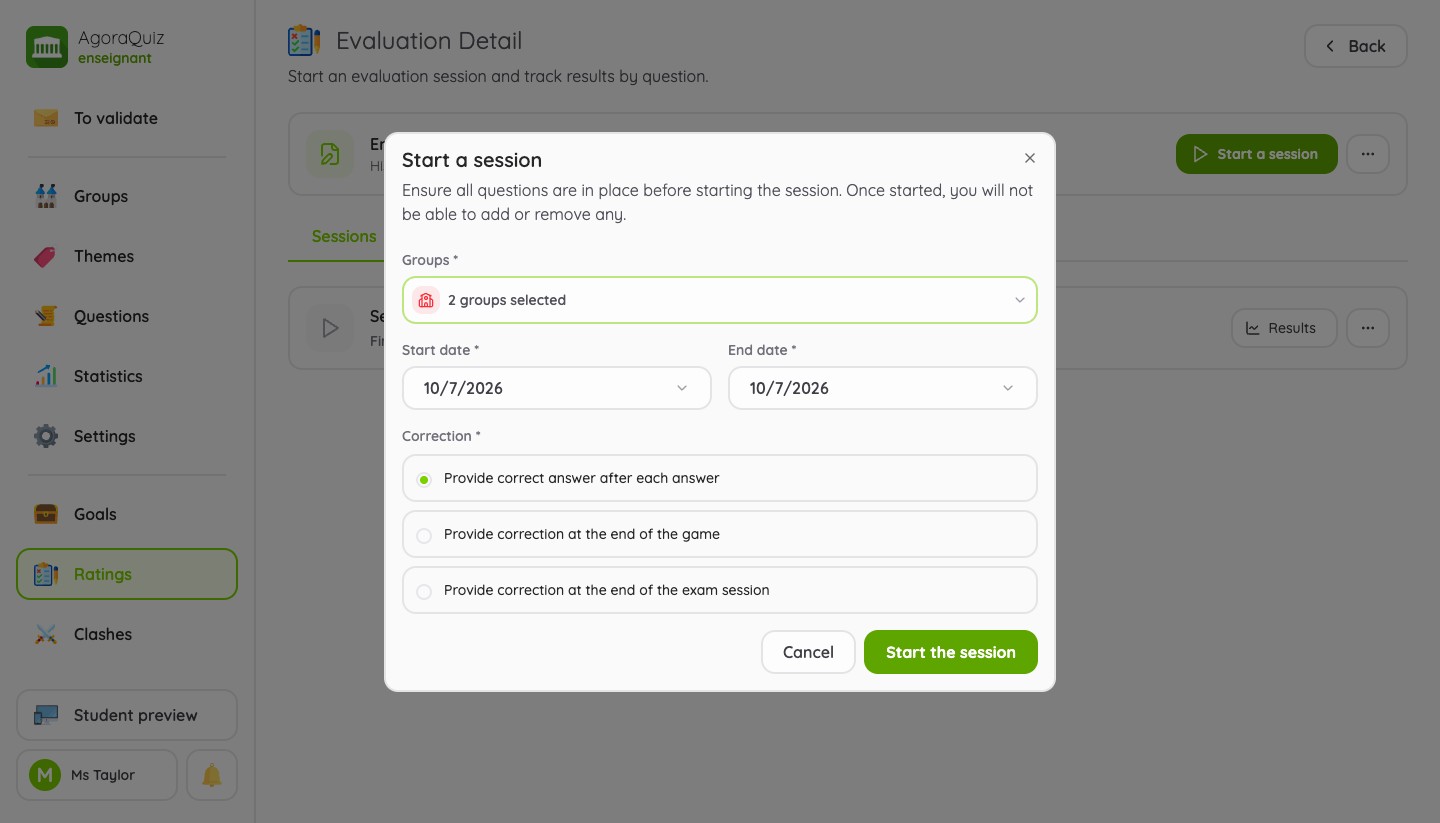
An evaluation is a list of questions you put together from your question bank. It no longer belongs to a group: you prepare it once, then you start a session for one or several classes, with a start date, an end date and the correction mode of your choice.
The same evaluation can therefore be used for all your classes of the same level, or run again later in a new session. Each session keeps its own results, per question and per student.
Group battles
Until now, a battle set the selected group against a single other group, and was decided by the number of duels won.
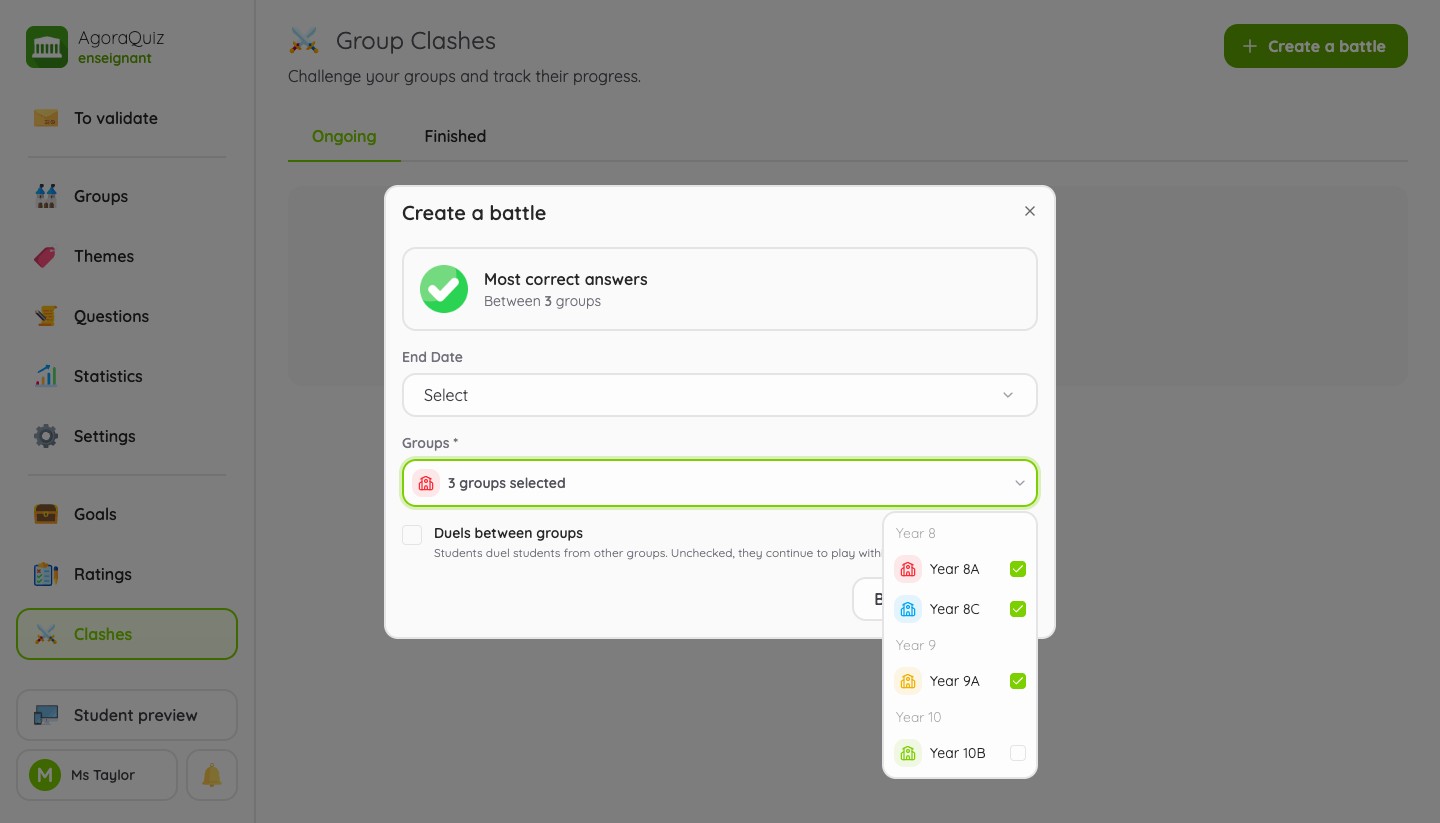
You can now have as many groups as you like compete, and choose what decides between the classes:
- the most correct answers;
- the most questions added;
- the most duels won.
Good to know
- A group can only take part in one battle in progress: groups that are already in one are greyed out in the list.
- Goals, evaluations and group battles are part of AgoraQuiz Plus.
An overview of all your classes
Removing the selected group also changes how you look at your data. Every page shows all your groups by default, and a filter lets you narrow the view when you need to.
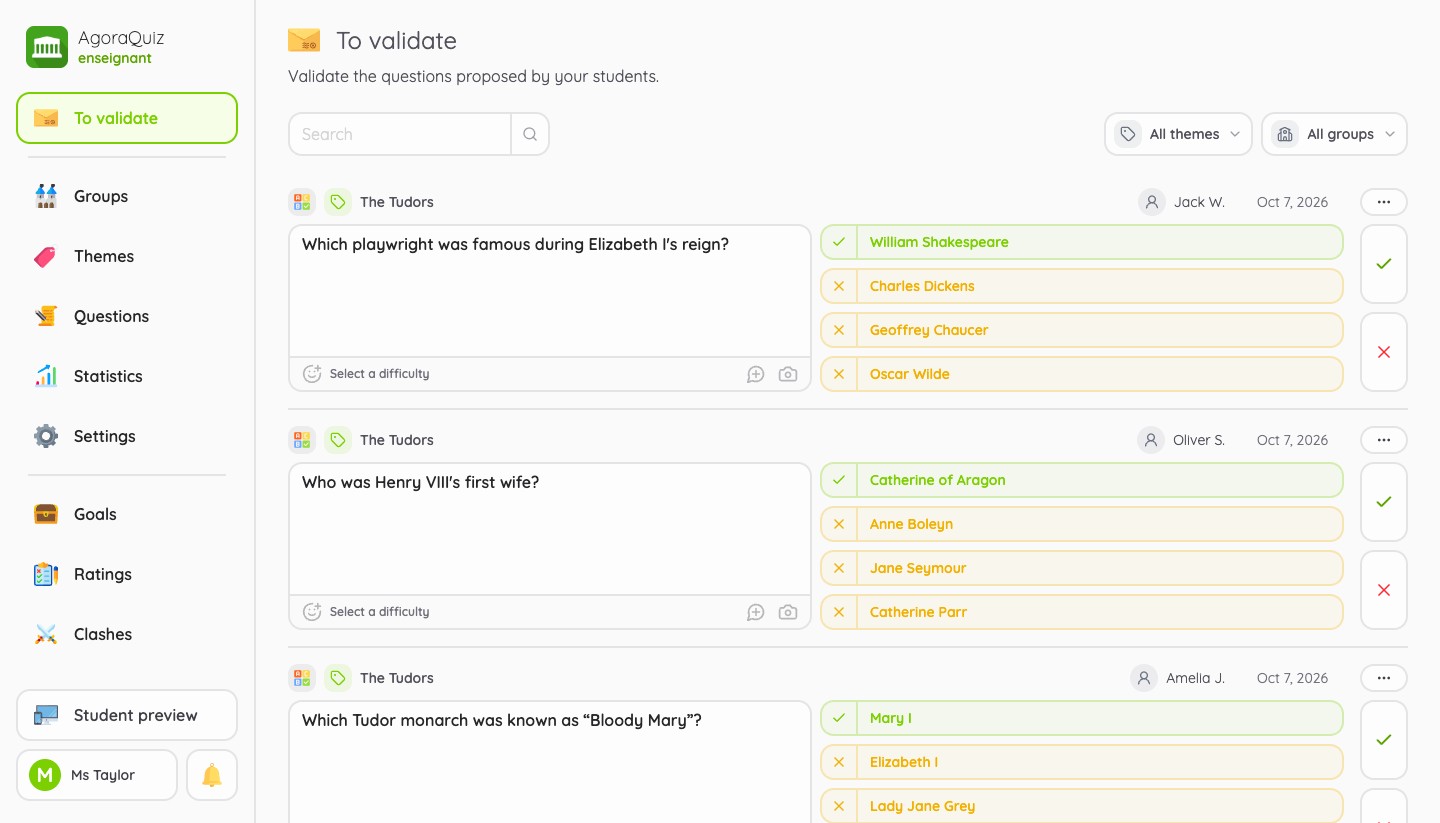
- To validate gathers the questions suggested by all your students, with a filter by theme and by group.
- Themes lists your themes by level. A theme can be shared between several groups: an approved question benefits every class that has access to it.
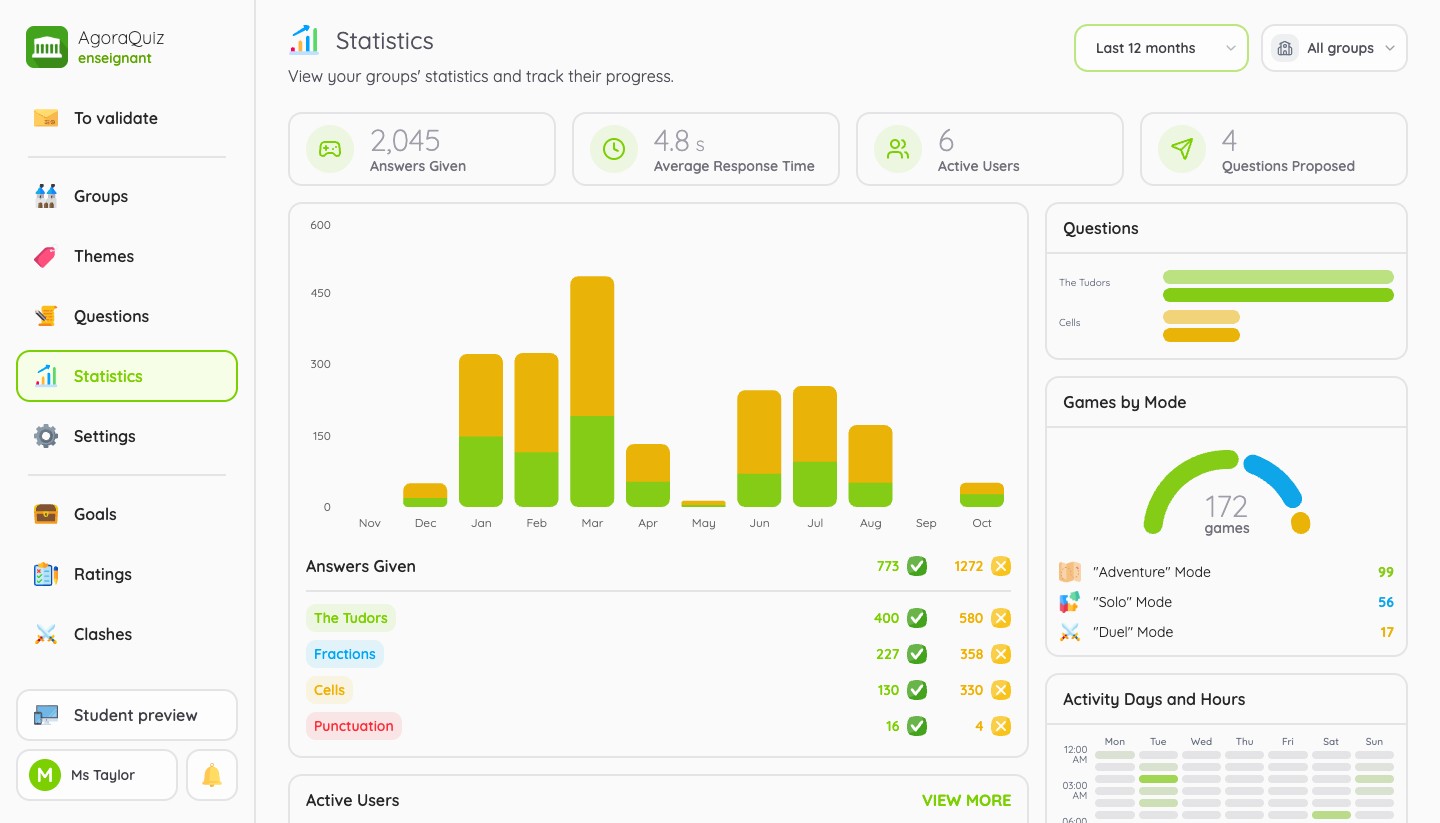
- Statistics adds up the activity of all your classes, or of a single one if you select it.
Student preview
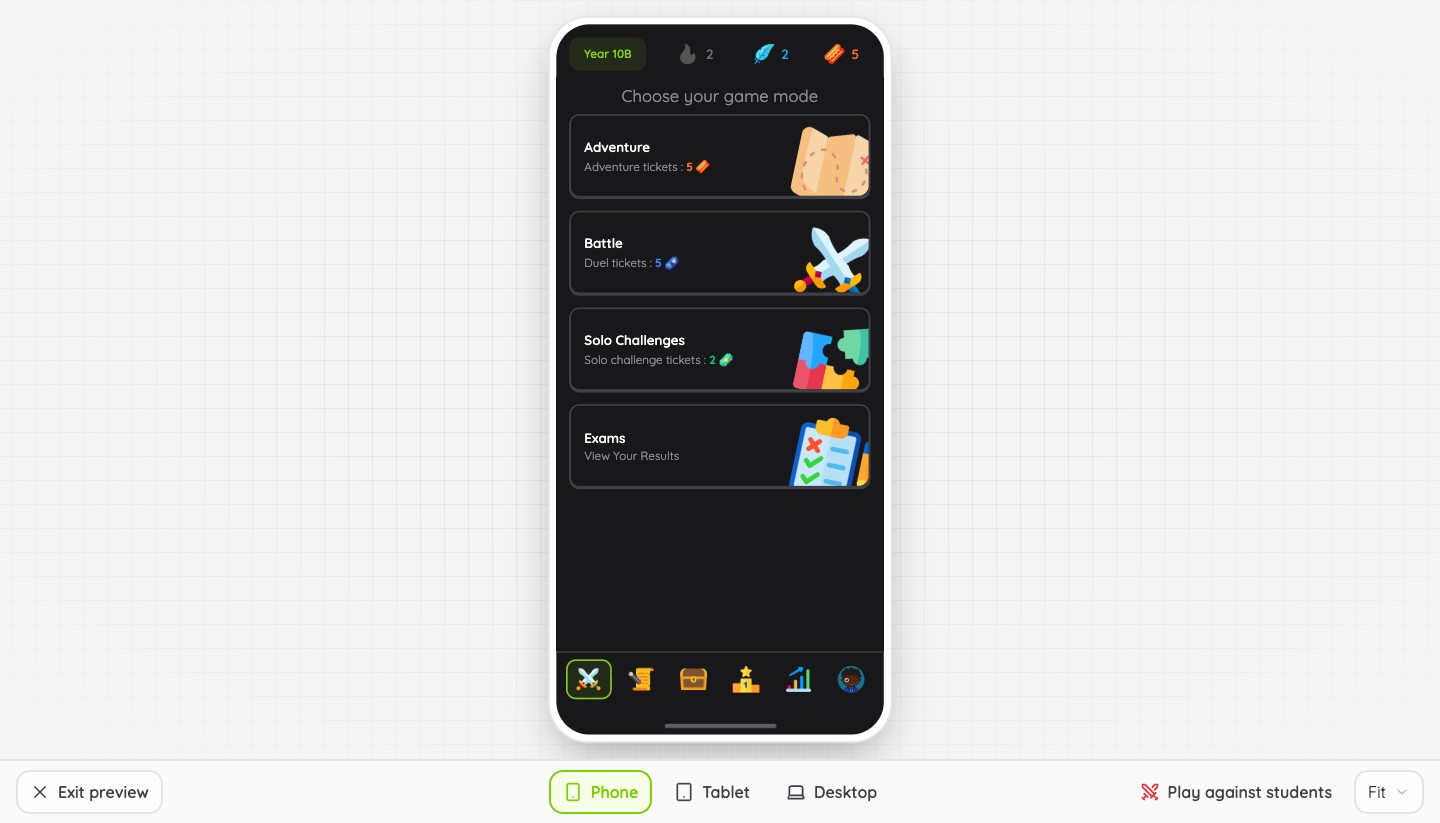
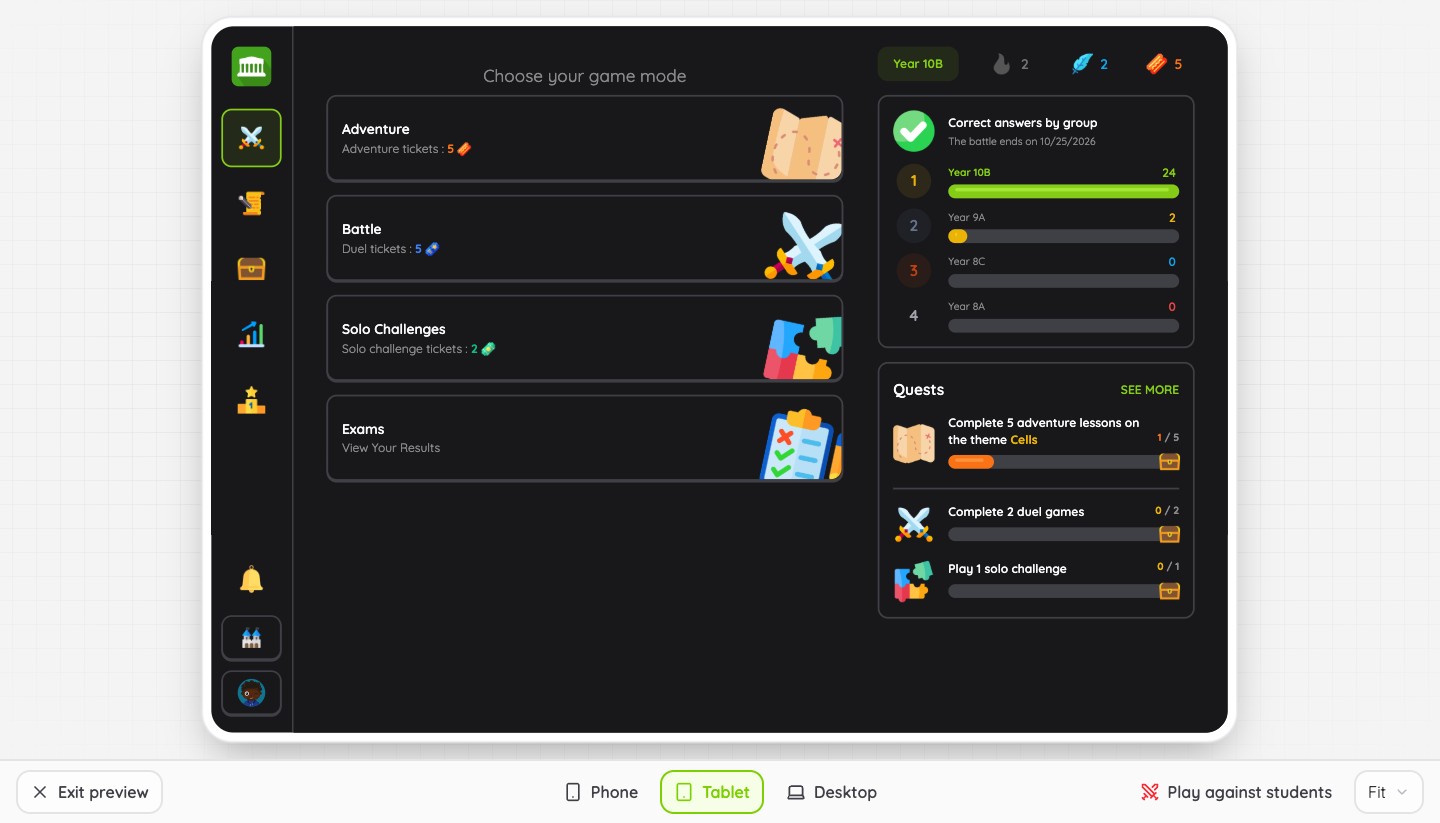
Until now, seeing what your students saw meant creating a student account and joining your own group. The Student preview button, at the bottom of the menu, now opens their app right inside your teacher space.
- Three devices: phone, tablet or desktop, with a zoom to fit your screen. The preview reopens on the device you picked last.
- The real app: you are a member of each of your groups. You suggest a question, play an Adventure lesson or switch groups, just like a student.
- Duels under control: by default, the duels you start are not offered to your students. Turn on Play against students to challenge them: these are then real games for them, counted in their scores and statistics. A badge on the button tells you when duels are waiting for you.
During a group battle, your own games do not count towards the score of your classes.
Game settings
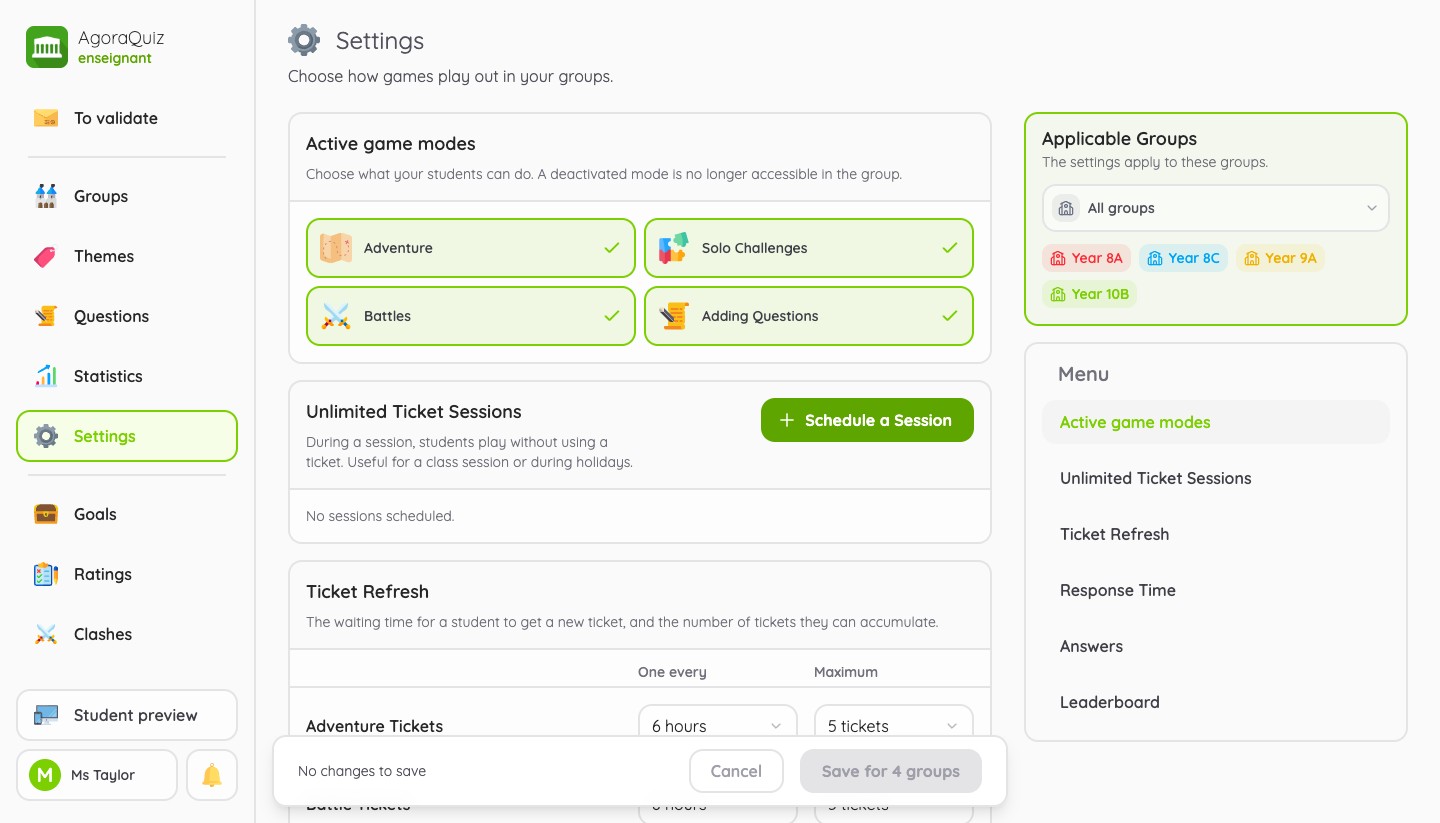
The new Settings page controls how games are played, for all your groups at once or only for the ones you select.
- Response time: 20 seconds per question by default, to adjust for each game mode or to make unlimited.
- Answers: show or hide the correct answer after a mistake, and the number of answers a question expects.
- Leaderboard: how many students are listed, and each student's own rank.
With AgoraQuiz Plus, three more settings are available: the active game modes (Adventure, Solo challenges, Battles, adding questions), the ticket refresh (delay and maximum for each kind of ticket) and unlimited ticket sessions, to schedule for a lesson in class or for the holidays.
And also
- A new question type: the question to rearrange, included in AgoraQuiz Plus.
- Explanations: attach an explanation to one or several questions, students see it after a wrong answer.
- Statistics per question: with AgoraQuiz Plus, each question displays its success rate, the answers picked and how each group performs.
- A richer student page: their avatar, their achievements, and a list of students sorted by last activity.
- Duels between groups: an option of the group battle, so that your students play their duels against the other classes.
- On a phone: a navigation bar at the bottom of the screen and lists designed for small screens.
For a full tour of each page, read the getting started guide.
This article only covers the teacher space. The app your students use is changing too: read what changes for them.
See you soon on AgoraQuiz!